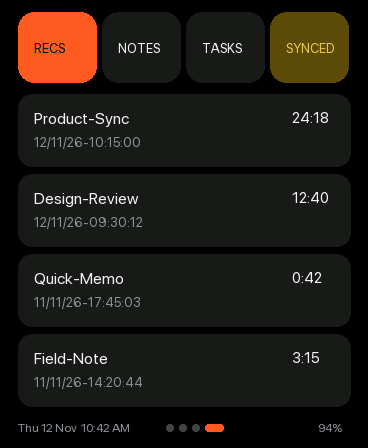
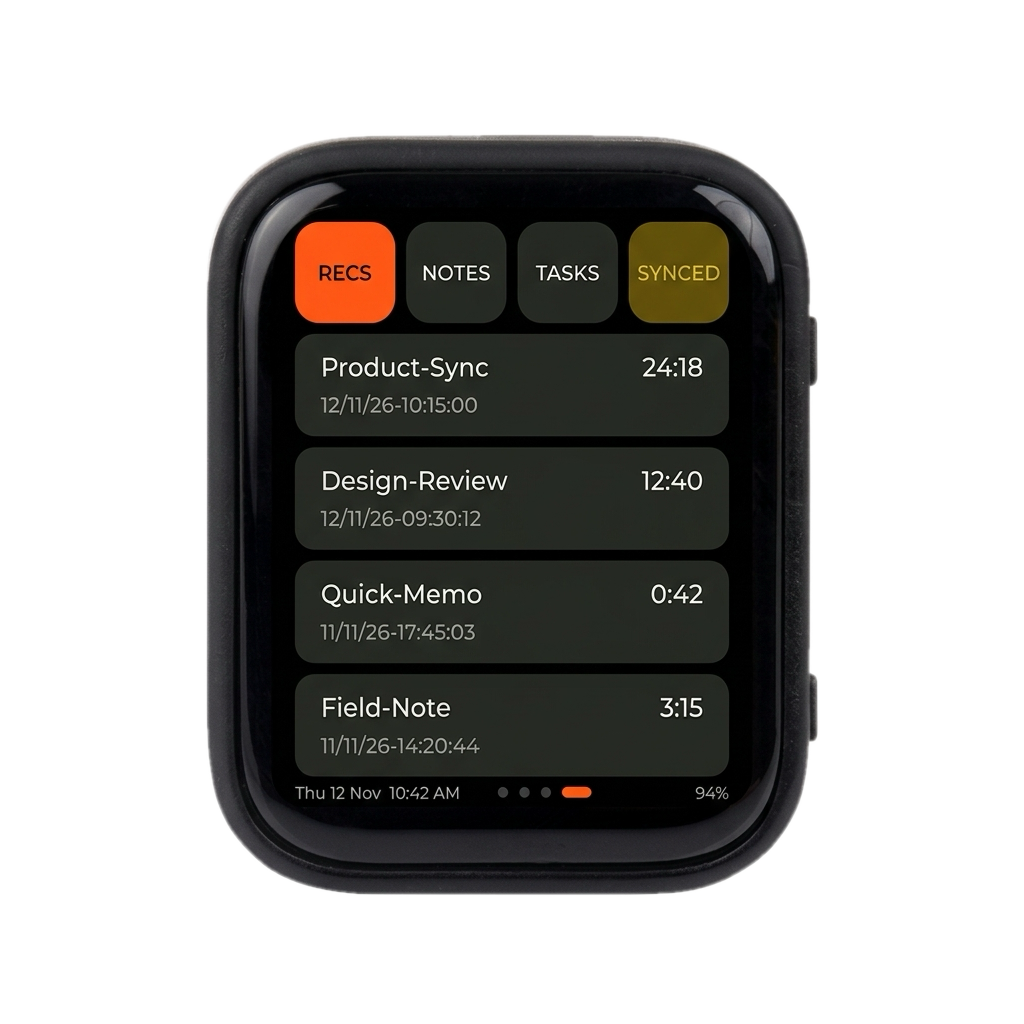
Pocket-AI-S3 showing the Recordings list with RECS, NOTES, TASKS, and SYNCED tabs
Organized on-device library

Recordings, Notes & Sync Status

Browse recent clips, AI meeting notes, and sync status directly on the 1.8-inch touch display with instant playback.

  • Four-tab hub (RECS, NOTES, TASKS, SYNCED) with smooth touch scrolling
  • View clip durations, timestamps, and upload/transcription status at a glance
  • Tap any note to read AI-generated meeting summaries synced back from your server
  • Full-length clips and transcripts remain searchable in the web console
SyncWi-Fi + Road Gateway
VaultObsidian Markdown
MemoryMemoryHive Index
Screen-Only Captures (368×448)

What this screen shows

Recordings & Sync Tabs (v1)

Recordings & Sync Tabs (v1)

Four-tab browser (RECS, NOTES, TASKS, SYNCED) showing recorded clips, durations, and sync status.
Playback with Synced Transcript (v1)

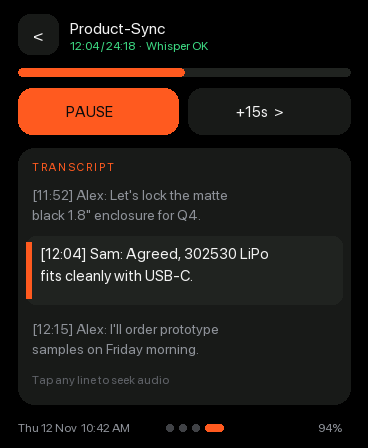
Playback with Synced Transcript (v1)

Audio scrubber and pause/+15s controls paired with timestamped Whisper transcript lines—tap any line to seek.
Full Recording Transcript View (v1)

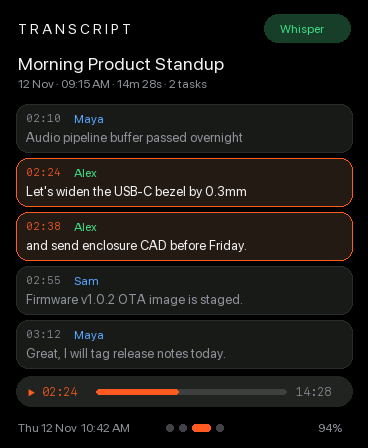
Full Recording Transcript View (v1)

Speaker-labeled Whisper transcript with highlighted active timestamp line and mini playback scrubber.